
OfflinAI Wiki Lite
A small private wiki of Markdown pages in a tree, with versions, templates, search and answers drawn from your own pages.
Coming soon to the Microsoft Store
About the app
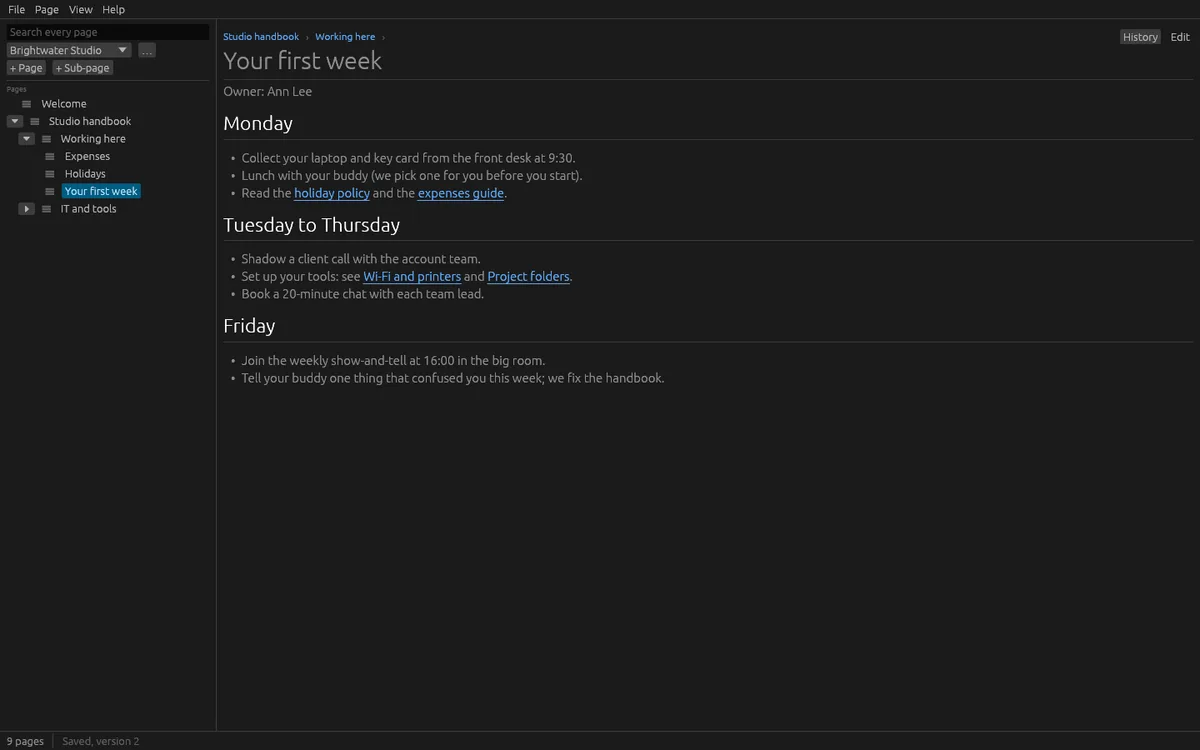
OfflinAI Wiki Lite is a small wiki for a person on one computer. Organize your pages in spaces, one per team, project or company, with pages in a tree. Add a page at the top or under another, open and close branches, and move pages by dragging or with Move up, Move down, Move out a level and Move to space.
Pages are Markdown: headings, lists, tables, task lists, code, quotes, links and pictures. Link to another page with a title, and web links open in your browser. Saving is automatic a few seconds after you stop typing, when you open another page and when you close the window. The editor is plain Markdown with buttons for common pieces, not a rich editor.
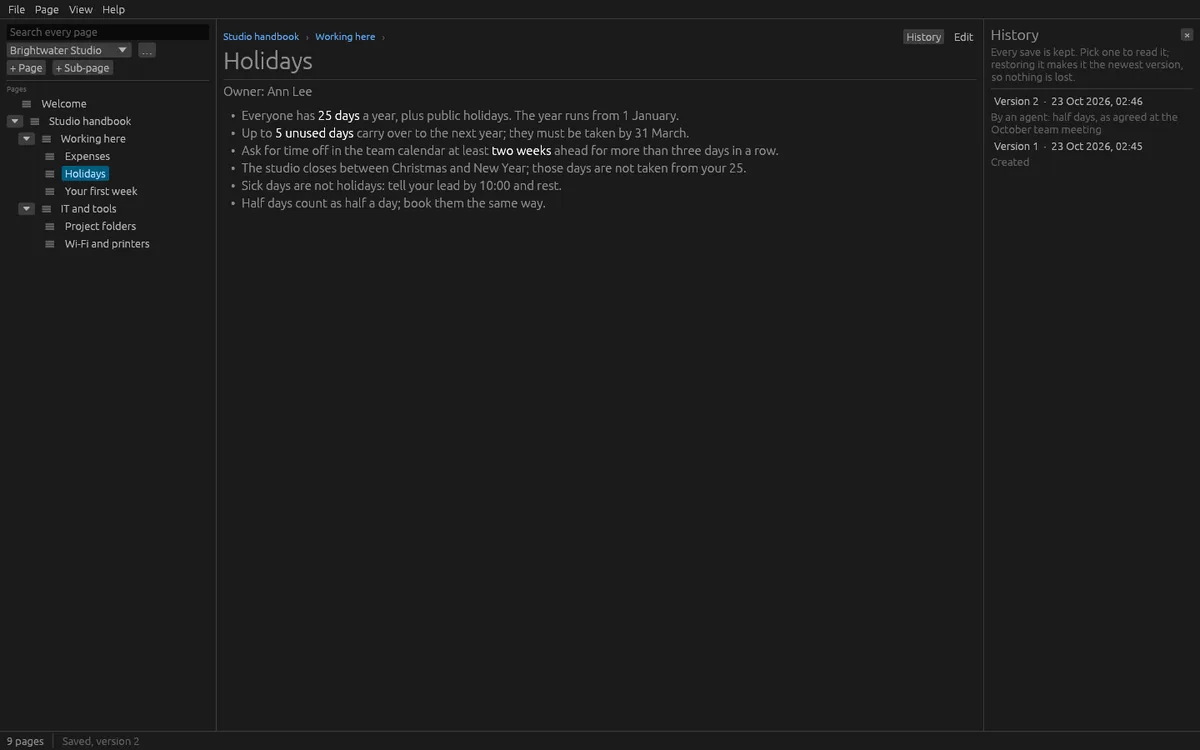
Every save keeps a version. The history lists them, and you can read any old version and restore it as a new version, so nothing is lost. Templates for meeting notes, a decision, a how-to and a runbook are built in, and any page can be made a template. Attach files to a page; they are encrypted. Pictures show in the page, and other files are listed and saved out on request.
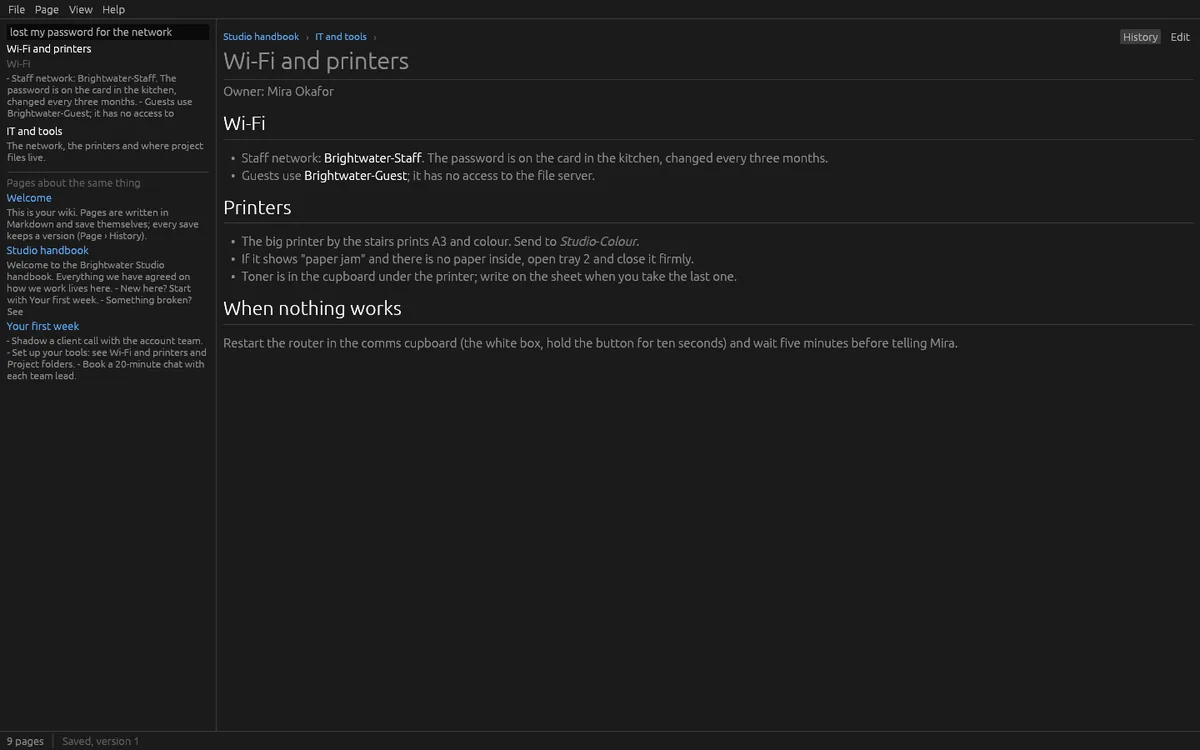
Search every page as you type: titles first, then passages by words, then pages about the same thing by meaning.
Import a folder of Markdown files, with subfolders becoming pages and links between files kept. You can also import a space exported as HTML from another wiki tool, as a folder or .zip. Macros, panels and layouts come through as their text. Export a page as Markdown, .docx or PDF, or a whole space as a folder of Markdown files.
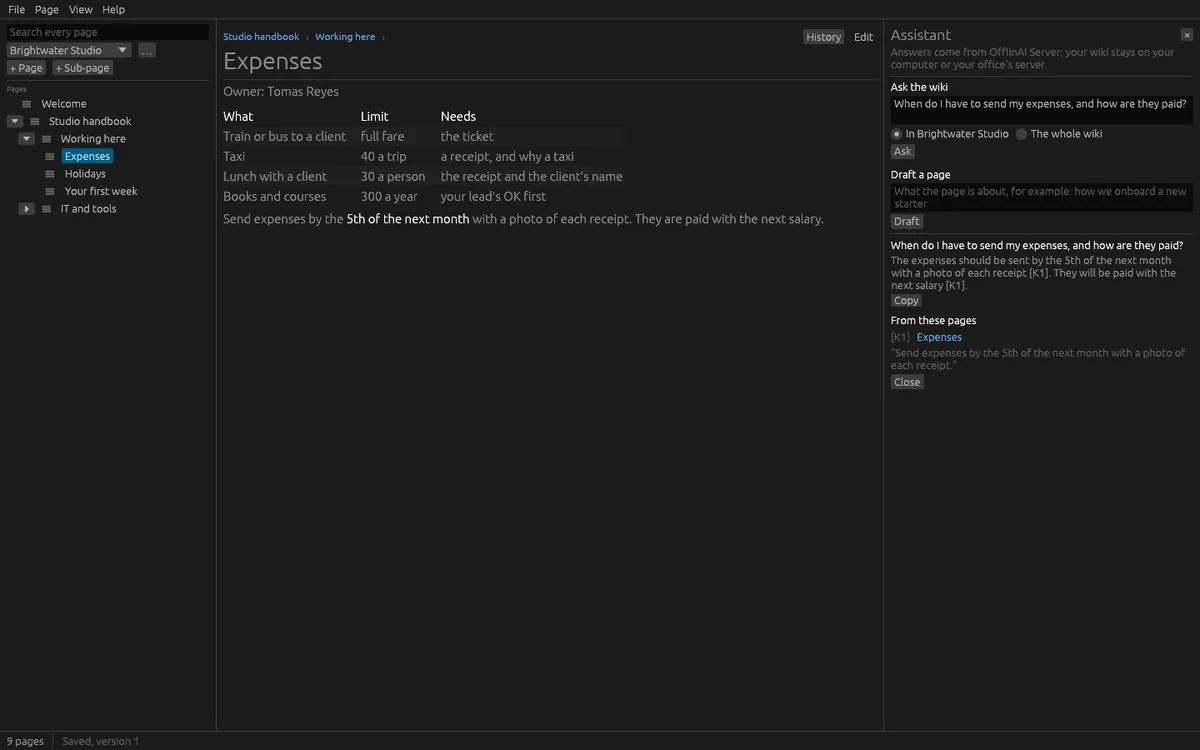
The assistant is optional. Ask a question of one space or the whole wiki, and OfflinAI Server answers from your pages, cites them, and says so when the wiki does not cover it. Describe a page and it drafts one, linking related pages, for you to review before you create it. These AI features use OfflinAI Server running on your own PC. Without it, you get the passages that answer best, an outline of related pages, and search by words.
Pages and attachments are encrypted on your computer, with a key kept in the system keychain. Everything stays on your device. There is no account, and no data is sent to OfflinAI. By default the only connection the app makes is to OfflinAI Server on your own PC. If an administrator has set a different OfflinAI Server address for the machine, the app uses that address instead.
Wiki Lite does not support comments or several people editing the same page at once.
Features
- Spaces with pages in a tree; drag to move pages; Markdown with tables, task lists, code and pictures
- Automatic saving with a version kept for every save; read and restore old versions
- Built-in templates for meeting notes, decisions, how-tos and runbooks; make any page a template
- Search as you type by title, words and meaning; encrypted attachments
- Import Markdown folders and HTML exports of other wikis; export pages as Markdown, .docx or PDF
- Pages and attachments encrypted on your PC
- Optional assistant on OfflinAI Server on your PC: answers from your pages with sources, and draft a page
Screenshots