
OfflinAI Sheets Lite
A small, quick spreadsheet for .xlsx and .csv files, with formulas that recalculate as you type and an optional assistant on your own PC.
Coming soon to the Microsoft Store
About the app
OfflinAI Sheets Lite is a small spreadsheet for Windows. Open, edit and save .xlsx and .csv files, with formulas that recalculate as you type.
When you save an .xlsx file, Sheets Lite keeps what it does not edit, such as charts, pivot tables, conditional formats and data validation. In each sheet only the cell data is replaced, and when you insert or delete rows and columns, the references in those kept parts move too. Rich text in cells is saved as plain text.
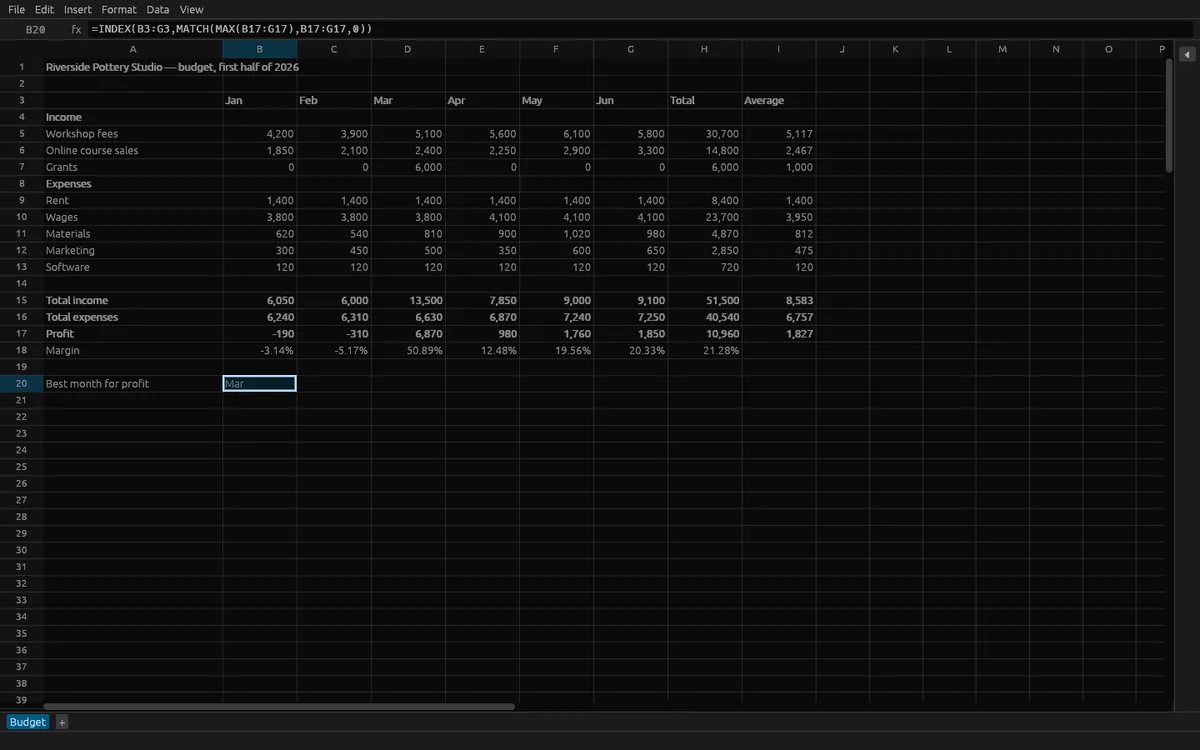
Formulas include SUM, AVERAGE, COUNTIF, SUMIF, IF, IFERROR, VLOOKUP, XLOOKUP, INDEX, MATCH, text and date functions, and more. A change recalculates only the formulas it reaches, and circular references are marked. A formula the app does not understand is kept exactly as written with its saved value, and you are told how many there are.
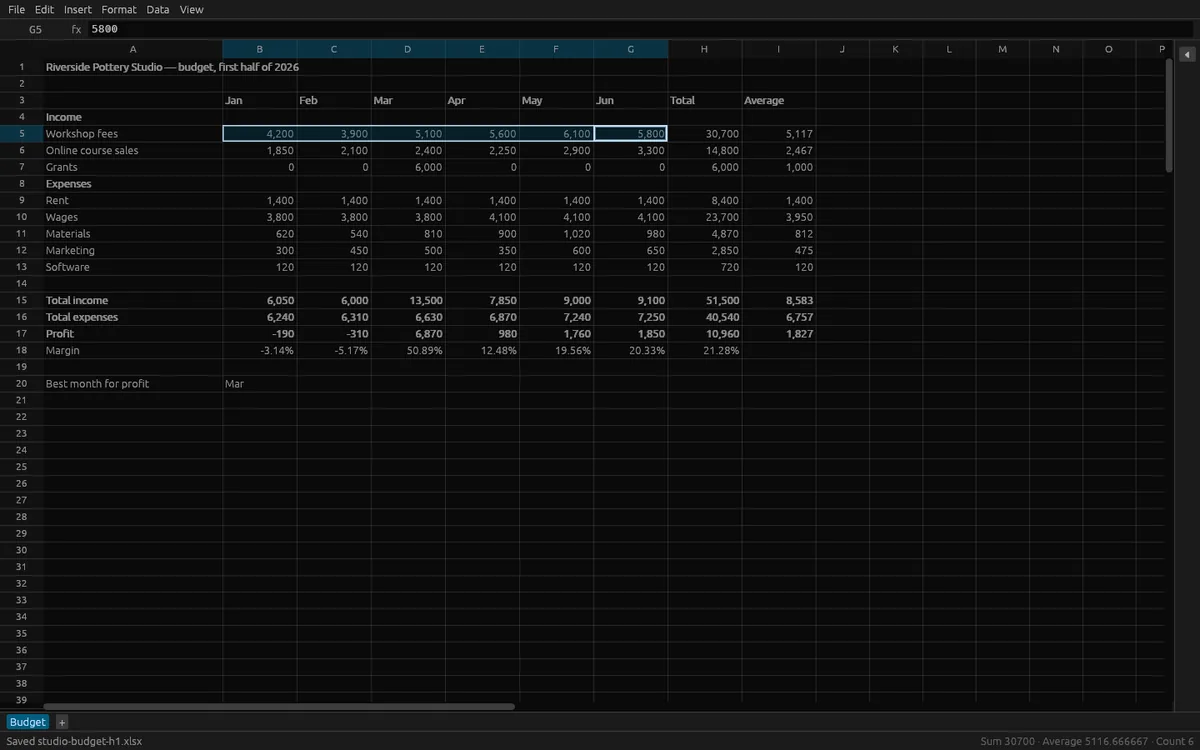
Editing includes selecting with mouse and keyboard, copy, cut and paste, fill down and right with series (numbers, dates, month names, numbered text), insert and delete rows and columns, sort, AutoSum, sheet tabs, number formats, bold, italic, alignment, wrap, fill color, borders, column widths, frozen panes, find, and undo and redo (200 steps). The grid draws only what is in view. The status bar shows the sum, average and count of your selection.
CSV and TSV files open with the encoding and delimiter detected. A field that starts with an equals sign stays text, so a file never runs formulas. Older .xls and .ods files can be imported as values; saving makes an .xlsx.
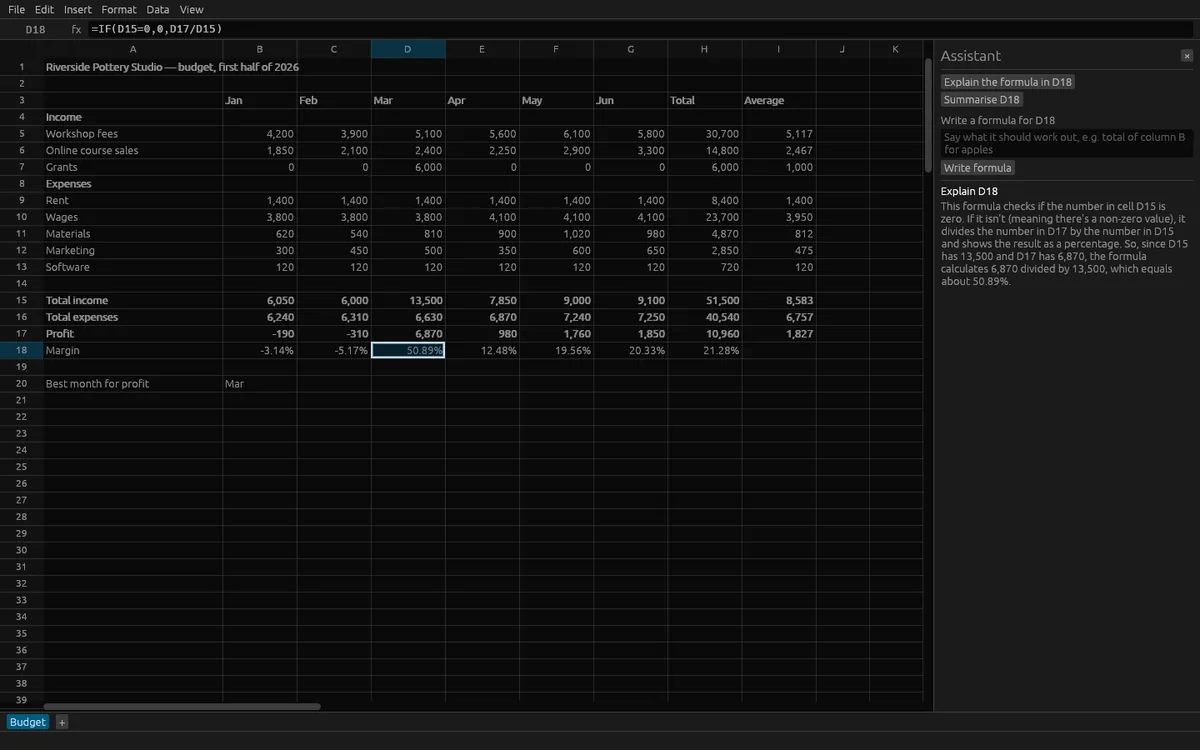
The assistant is optional. A panel beside the grid can explain the formula in the current cell, write a formula from a description, and summarize the selected cells. These AI features use OfflinAI Server running on your own PC. A formula it writes is checked before it is offered, and it only goes into the cell when you press the button. Without OfflinAI Server, the spreadsheet works as normal and each task still gives a simpler answer built from the formula's parts or the selection's own figures.
Everything stays on your device. There is no account, and no data is sent to OfflinAI. The only connection the app makes is to OfflinAI Server on your own PC.
Features
- Open, edit and save .xlsx; charts, pivot tables, conditional formats and validation you do not edit are kept
- Formulas recalculate as you type, with common functions, cross-sheet references and circular reference detection
- Open and save .csv and .tsv with detected encoding and delimiter; imported files never run formulas
- Fill series, sort, AutoSum, insert and delete rows and columns, number formats, borders, frozen panes, find, undo and redo
- Import .xls and .ods files as values
- Optional assistant on OfflinAI Server on your PC: explain a formula, write a formula, summarize the selection
- Large sheets stay smooth because only the visible rows and columns are drawn
Screenshots