
OfflinAI Money Lite
Write money down in a plain sentence, read receipts and bank statements, and see where it went, what you are worth and whether you are on budget.
Coming soon to the Microsoft Store
About the app
Money Lite is for one person, a household or a sole trader with one set of books. It shows where your money went, what you are worth, and whether you are within budget, in plain words and without learning double entry. The double entry happens underneath, made by code, so the books always balance.
Record money in one sentence, such as paid 42.50 for groceries at the market yesterday by card. The app reads the amount, date, place, category and who was paid, and shows a proposal in plain words. Nothing is saved until you click Save. A short form does the same job. Money Lite checks every entry before it can be saved.
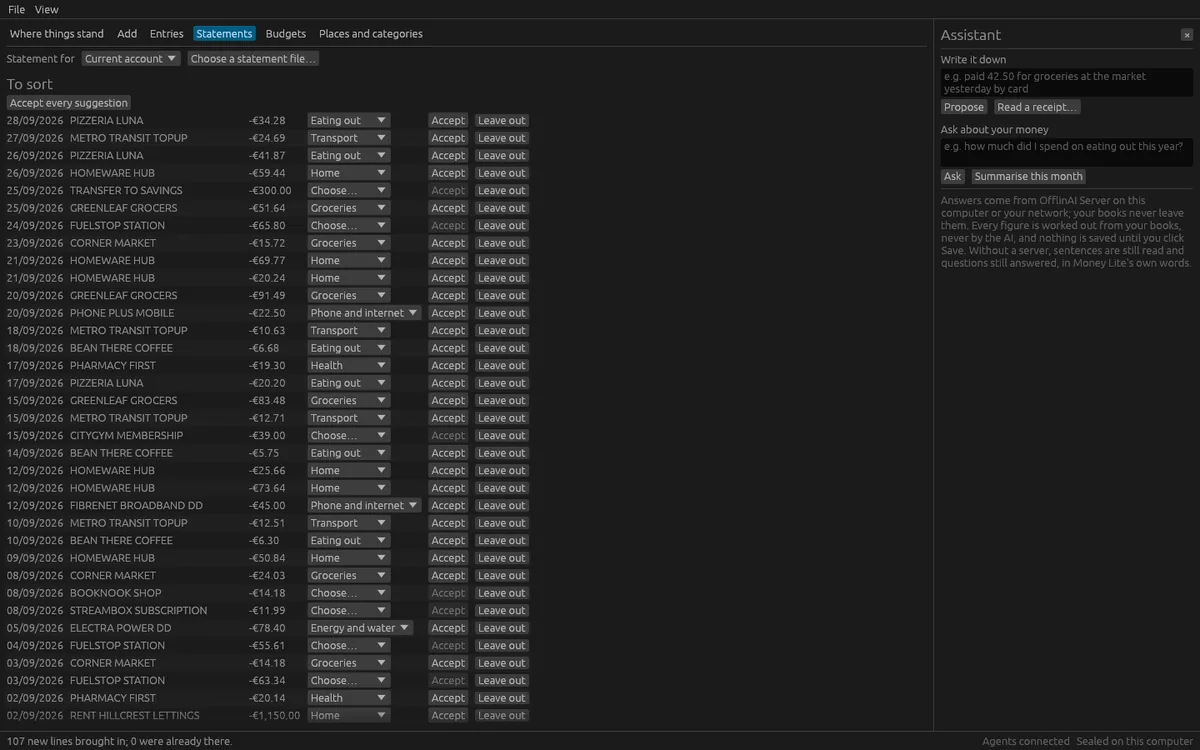
Read a receipt from a photo or a PDF into a proposed spending entry, with the source of each value shown. Bring in a bank statement from CSV, spreadsheet, OFX, CAMT.053 or MT940 files. Lines already in your books are skipped, so an overlapping statement adds nothing twice. Each line gets a suggested category, which you can accept, change or leave out, and the app learns your choices. You can also match your books to a statement balance.
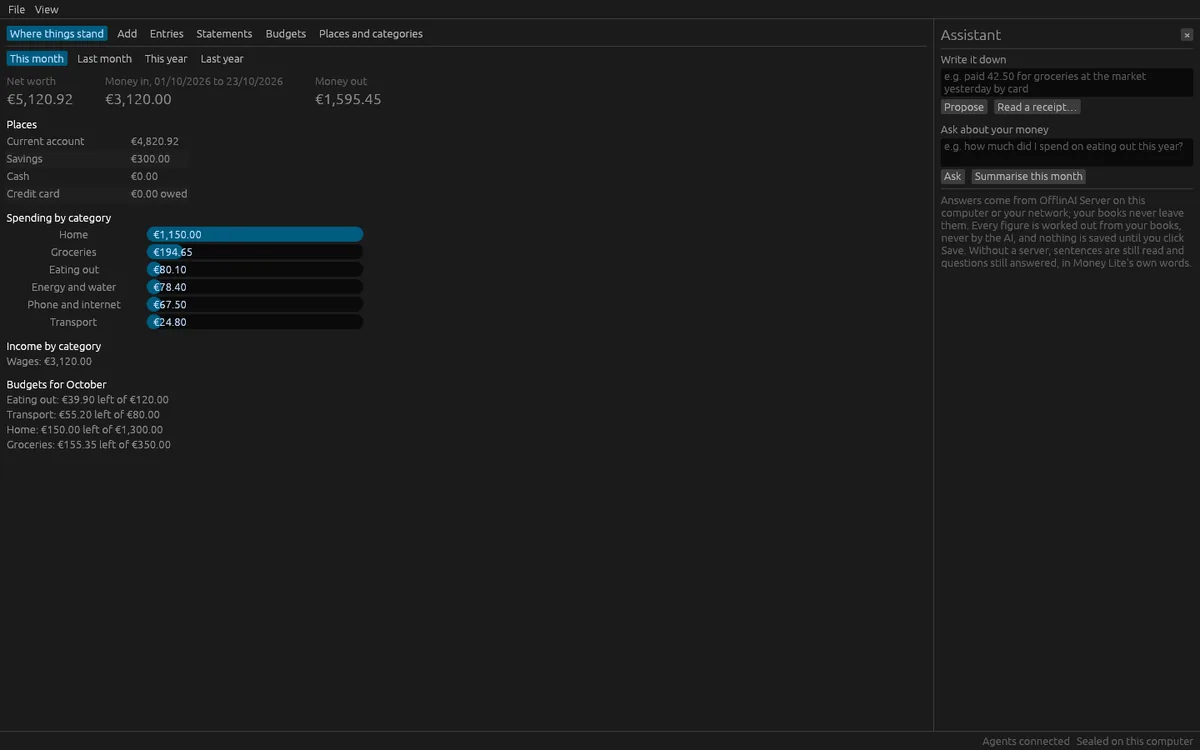
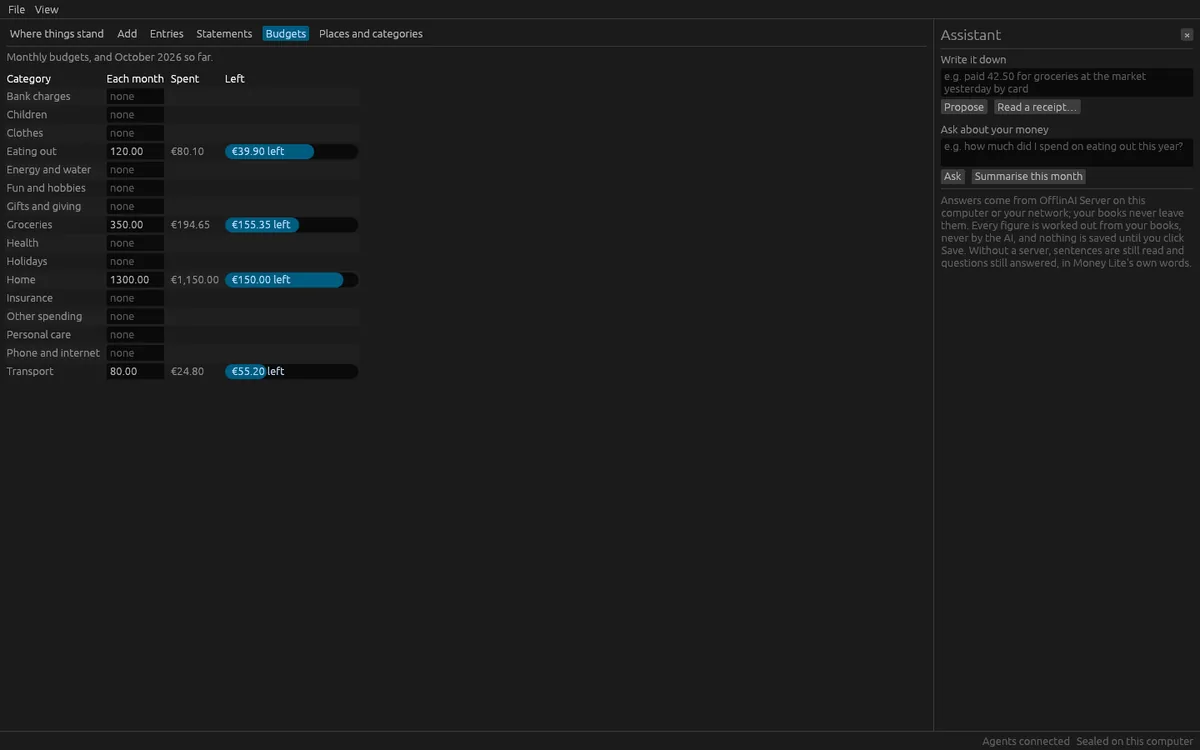
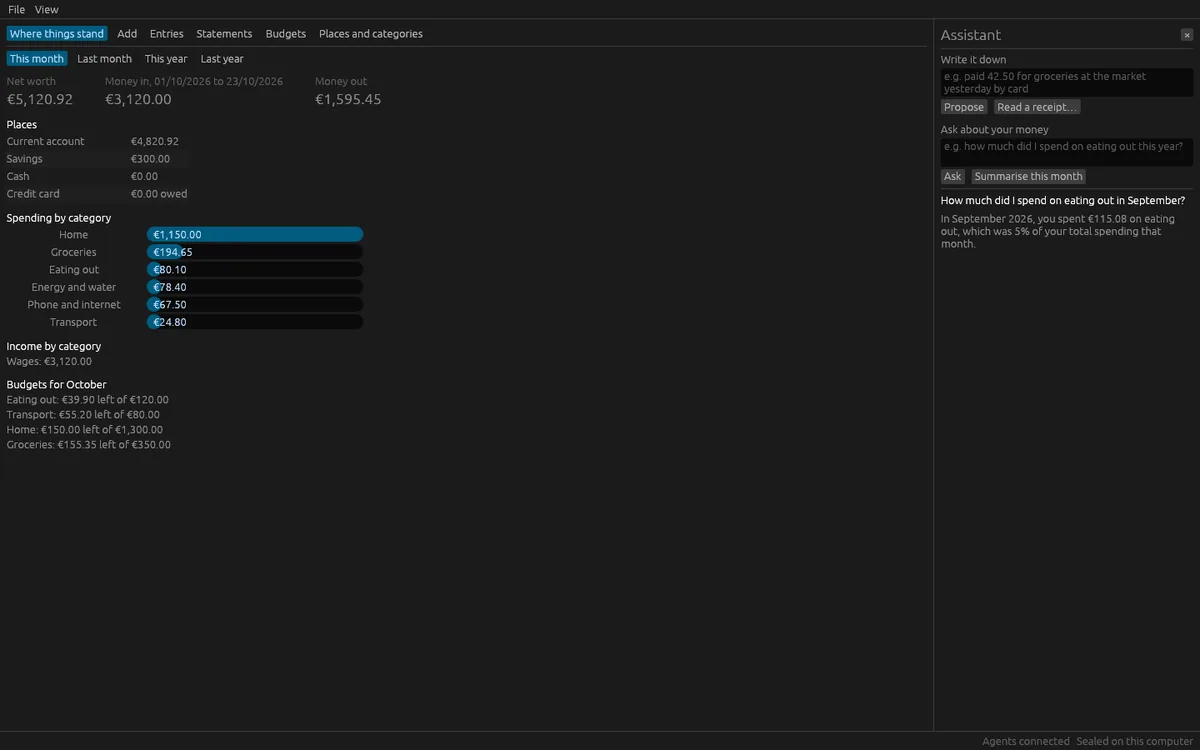
The overview shows your net worth, the balance of each place, money in and out for a period, spending and income by category, and this month's budgets. Set monthly budgets per category and see what is left and what is over. Ask questions in plain words, such as how much did I spend on eating out this year, or am I over budget. The answers and figures are worked out from your books.
Nothing is ever deleted from the books. A mistake is undone by a reversal, and both stay. You can export entries to CSV or a spreadsheet, and reports to PDF or a spreadsheet. The app starts with ready sets of places and categories for Ireland or the UK, in euro or pounds.
The assistant features use OfflinAI Server running on your own PC. They help read sentences and receipts and reword answers. Without it, every feature still works: sentences are read by rules, questions are answered in the app's own words, and receipts with a text layer are read by rules. Reading a photo of a receipt needs a picture model on OfflinAI Server.
Your books are sealed on your device with a key kept in the Windows keychain. Nothing is sent to OfflinAI, there is no account, and no data is collected.
Features
- Write money down in a plain sentence or a short form; nothing is saved until you click Save
- Read receipts from photos or PDFs, and bring in bank statements without adding the same line twice
- An overview of net worth, places, money in and out, spending and income by category
- Monthly budgets per category showing what is left and what is over
- Ask questions about your money in plain words and get figures worked out from your books
- Nothing is deleted: mistakes are undone by a reversal; export to CSV, spreadsheet or PDF
- Books sealed on your device; every feature works without OfflinAI Server
Screenshots