
OfflinAI Messenger Lite
All your chats in one private list through a Matrix account, with catch-up summaries, reply suggestions, translation and to-dos.
Coming soon to the Microsoft Store
About the app
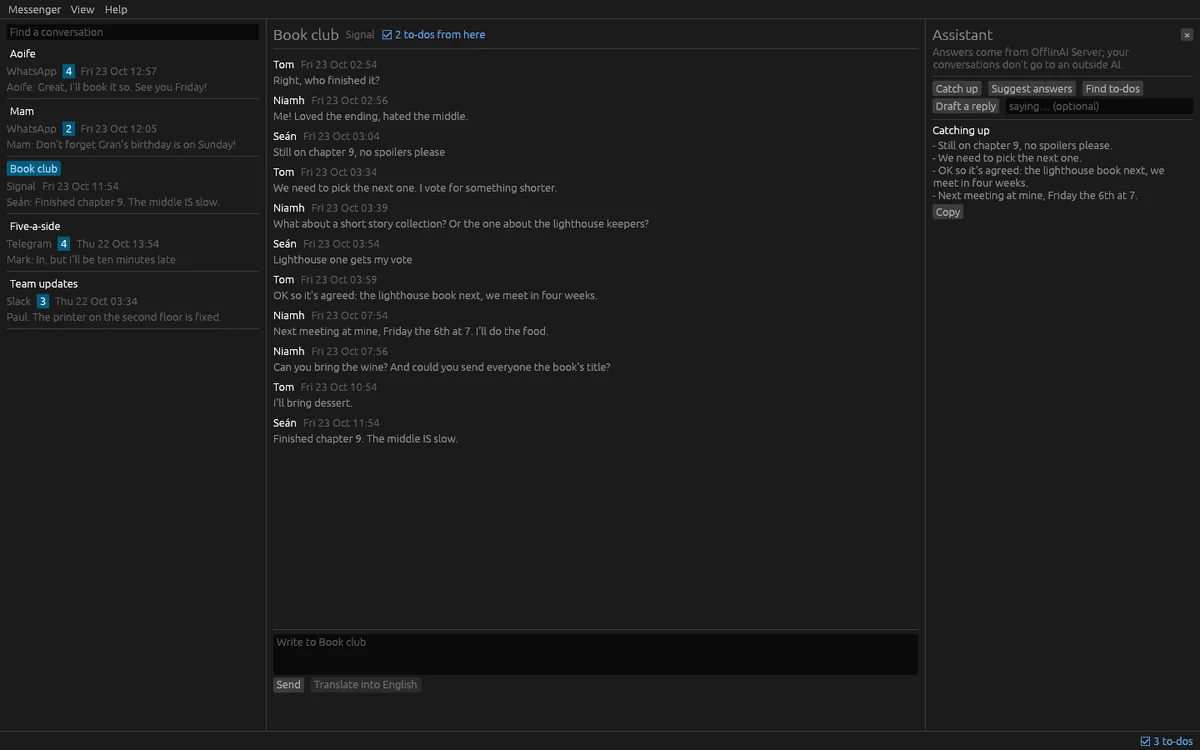
Messenger Lite is one private place for people whose conversations are spread over several chat networks. Connect a Matrix account, and the networks you already bridge to it arrive as rooms. Every conversation is in one list, newest first, with unread counts, the last line and who wrote it. Encrypted rooms can be read and written.
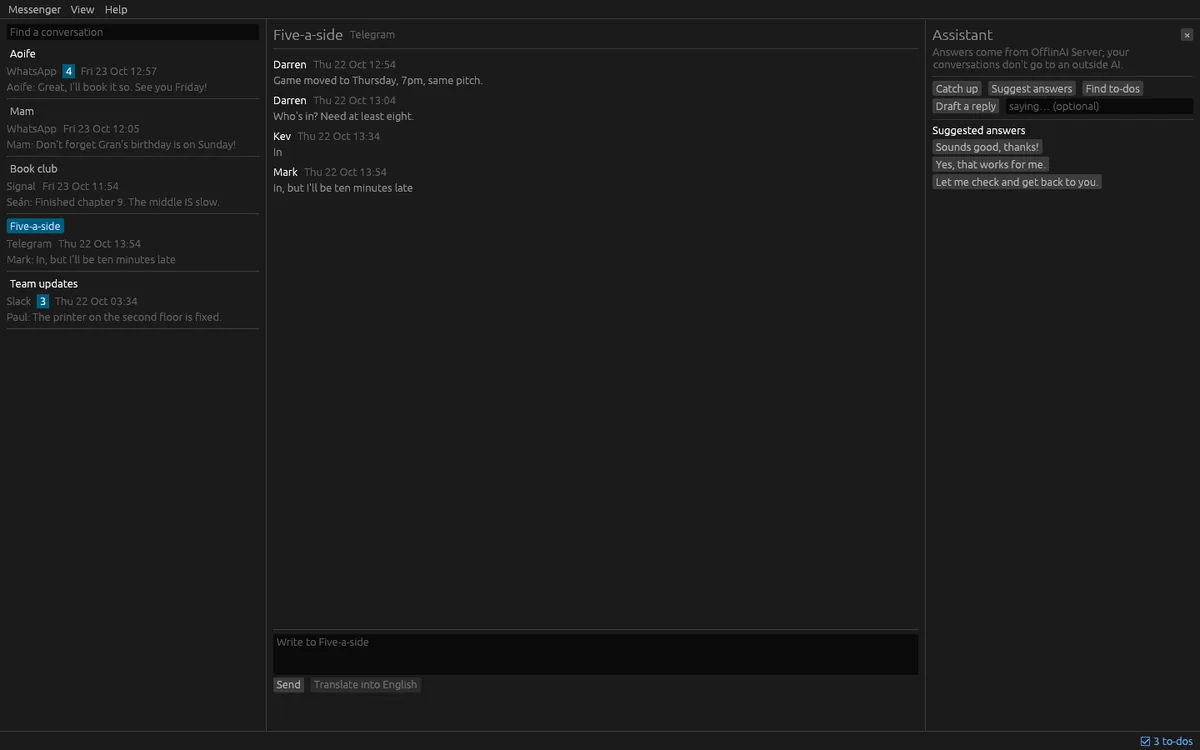
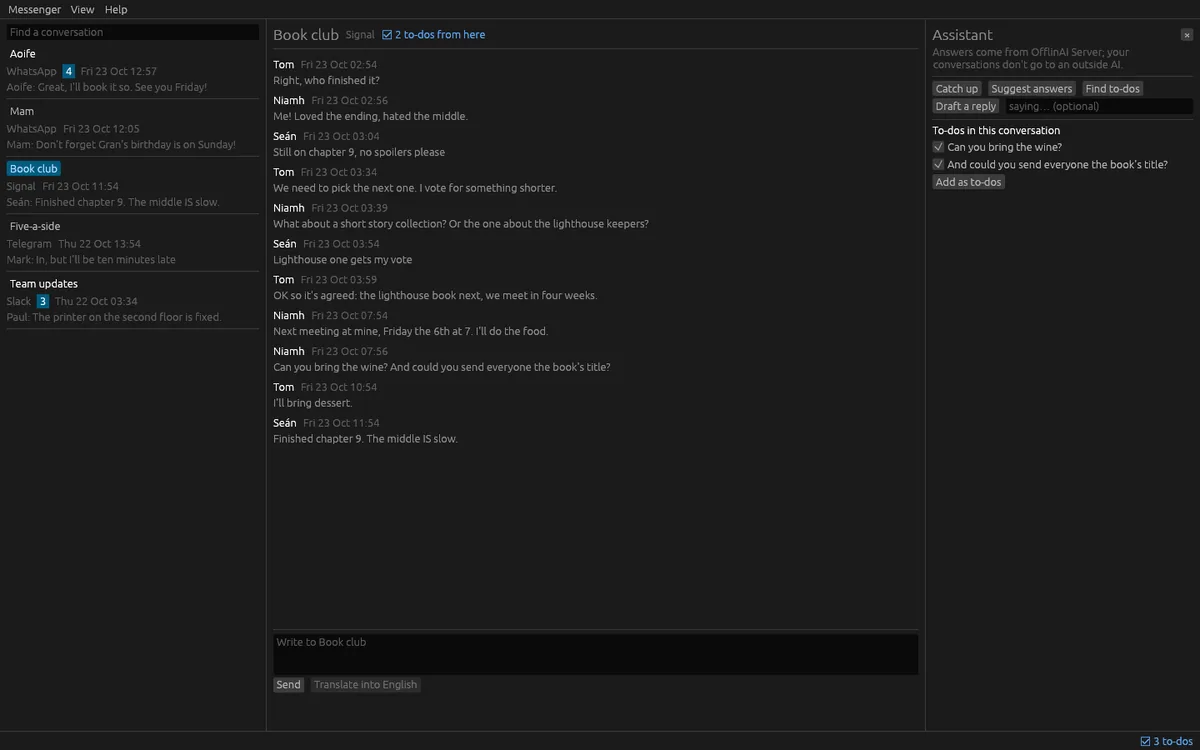
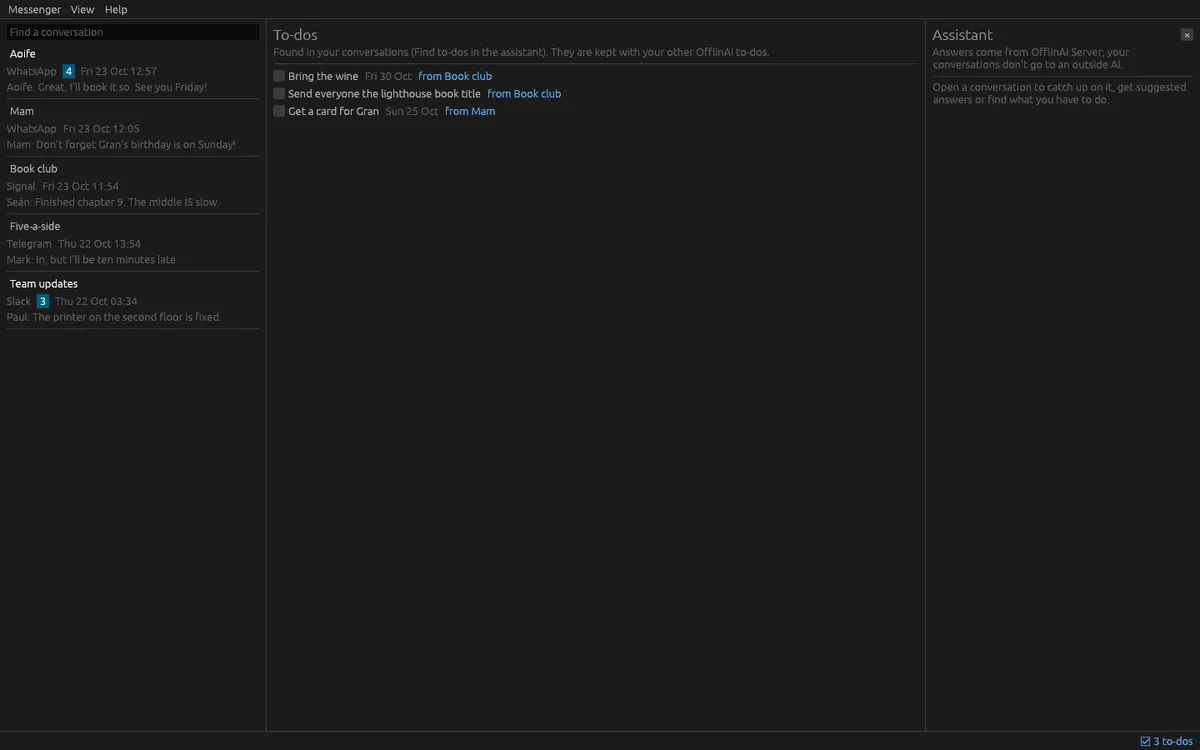
The assistant uses OfflinAI Server running on your own PC. Catch up on a busy conversation with a short digest of the topic, what is asked of you and what was decided. Get three suggested short answers, or a fuller draft in your own tone based on your recent messages. Translate a message you received, or your draft before you send it. Find to-dos in a conversation, tick the ones you want, and each becomes a to-do linked back to that conversation, with a due date when a day is mentioned.
Nothing is sent without you. Suggestions and drafts go only into the reply box, and you press Send. At most the newest part of a conversation is sent to the model, and only to OfflinAI Server on your own PC, never to an outside AI.
A practice account with five made-up conversations works with no network, so you can try everything first.
Without OfflinAI Server, you still get the lines that ask or decide as a digest, a greeting to start a reply from, and the lines that ask as to-dos. Translation waits for the AI. Your accounts, conversations, messages and encryption keys are kept encrypted on your PC. The app connects only to your Matrix server and to OfflinAI Server. Nothing is sent to OfflinAI, there is no account, and no data is collected.
Messenger Lite does not run a bridge server. You need a Matrix account with bridges already set up for the networks you want.
Features
- One list of conversations across chat networks bridged to a Matrix account, with unread counts
- Catch up on a busy conversation: the topic, what is asked of you and what was decided
- Three suggested short answers and a fuller draft in your own tone; nothing is sent until you press Send
- Translate received messages and your own draft before sending
- Find to-dos in a conversation and keep them linked back to it
- A practice account with made-up conversations that works with no network
- Accounts, messages and keys are encrypted on your PC
Screenshots